


Mini PC
There are 6 products.Shop by type
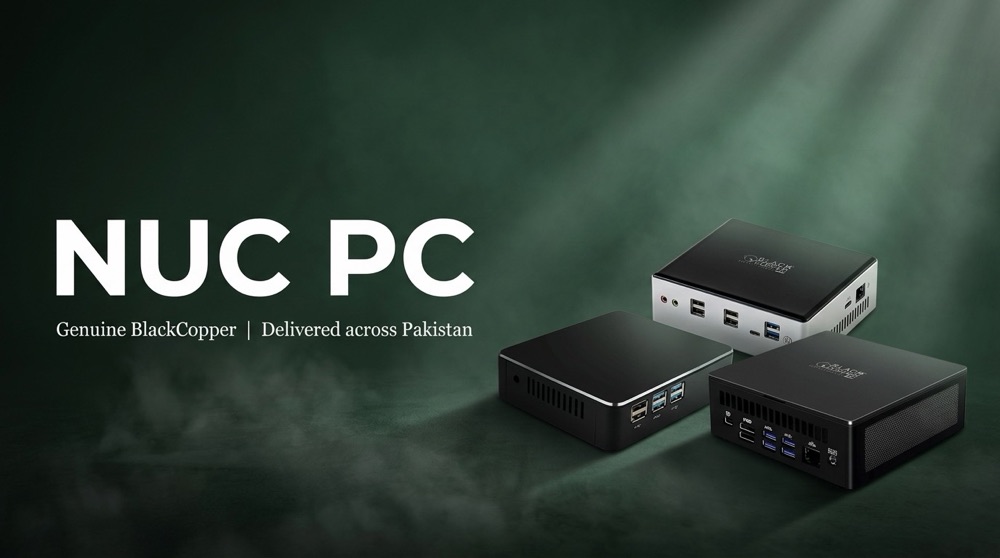
Mini PC products
-
BlackCopper BC-NUC-PC-i310G
BC-NUC-PC-i310G Mini NUC PC – Core i3 10th Gen, Wi-Fi 6 Intel Core i3-10110U, 2 cores / 4 threads, up to 4.1 GHz 2 × DDR4-2666 SO-DIMM, up to 64 GB 1 × M.2-2280 (NVMe / SATA) + 1 × 2.5" SATA bay Wi-Fi 6 and Bluetooth 5.0 Intel UHD graphics, 4K at 60 Hz, 3 displays Compact NUC form factor
Rs 96,610In Stock -
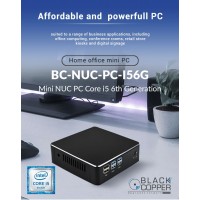
BlackCopper BC-NUC-PC-I56G
BlackCopper Mini NUC PC – Core i5 6th Gen (i5-6360U) Intel Core i5-6360U, 2C / 4T 2.0–3.1 GHz, 4 MB cache Up to 32 GB DDR4 support 15 W low power Compact NUC size
Rs 96,610In Stock -
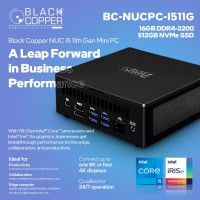
BlackCopper BC-NUC-PC-I511G
BC-NUC-PC-I511G Mini NUC PC – Core i5-1135G7 11th Gen, 16 GB, 512 GB Intel Core i5-1135G7 (11th Gen), 4 cores / 8 threads, up to 4.2 GHz 16 GB DDR4-3200 512 GB NVMe SSD Up to four 4K or one 8K display Dual HDMI + Thunderbolt 4 Intel 2.5 Gbps Ethernet, Wi-Fi 6
Rs 149,200Out of stock -
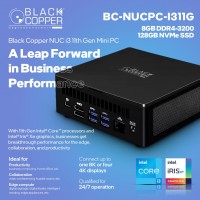
BlackCopper BC-NUC-PC-i311G
BC-NUC-PC-i311G Mini NUC PC – Core i3-1115G4 11th Gen, 8 GB, 128 GB Intel Core i3-1115G4 (11th Gen), 2 cores / 4 threads, up to 4.1 GHz 8 GB DDR4-3200 128 GB NVMe SSD Up to four 4K or one 8K display Dual HDMI + Thunderbolt 4 Intel 2.5 Gbps Ethernet, Wi-Fi 6
Rs 0Out of stock -
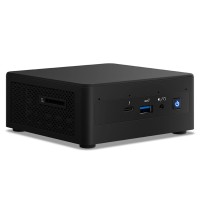
Intel NT12
Mini PC NT12 – Core i5-1135G7, 16 GB, 512 GB SSD, Windows 11 Pro Intel Core i5-1135G7, up to 4.2 GHz 16 GB DDR4-3200 (up to 64 GB) 512 GB NVMe SSD, expandable Wi-Fi 6, Bluetooth 5.2 2 × HDMI 2.0 (4K60) + Thunderbolt 4 (8K60) 4 × USB 3.2, Gigabit LAN
Rs 32,000Out of stock -
Intel NUC11TNKi3
Intel NUC 11 Pro Mini PC – Core i3 11th Gen 11th Gen Intel Core i3 Intel Iris Xe / UHD graphics Up to 64 GB dual-channel memory Compact business mini PC
Rs 32,000Out of stock
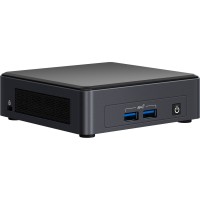
The Ultimate Guide to Mini PCs: Power and Portability Combined
In today's world, where technology is constantly evolving, having a powerful and compact computing device is more important than ever. Enter the mini PC, a revolutionary solution that packs a punch without sacrificing portability. But with so many options available, choosing the rig...
The Ultimate Guide to Mini PCs: Power and Portability Combined
In today's world, where technology is constantly evolving, having a powerful and compact computing device is more important than ever. Enter the mini PC, a revolutionary solution that packs a punch without sacrificing portability. But with so many options available, choosing the right mini PC for your needs can be overwhelming. This comprehensive guide will walk you through everything you need to know about mini PCs, from their advantages and disadvantages to the top brands and features to consider.
What are Mini PCs?
Mini PCs, also known as small form factor PCs, are essentially desktop computers shrunk down to a size smaller than a shoebox. Despite their diminutive size, these machines offer impressive performance and functionality. They often feature powerful processors, ample RAM, and even dedicated graphics cards, making them suitable for a wide range of applications, from everyday computing to gaming and video editing.
The Advantages of Choosing a Mini PC
Mini PCs offer a compelling combination of benefits, making them an attractive choice for both personal and professional use:
- Compact Size and Portability: Their small footprint frees up valuable desk space and allows you to easily transport them for presentations or on the go.
- Energy Efficiency: Mini PCs are generally more energy-efficient than traditional desktops, reducing your energy consumption and saving you money on your electricity bill.
- Quiet Operation: Many mini PCs run silently, making them ideal for use in offices, libraries, or home offices.
- Versatile Connectivity: Mini PCs typically come equipped with a variety of ports, including HDMI, DisplayPort, USB-C, and Ethernet, allowing for seamless connection to peripherals and displays.
- Cost-Effective: Mini PCs are often more affordable than traditional desktop computers, especially when considering their performance capabilities.
Factors to Consider When Buying a Mini PC
When choosing a mini PC, several key factors should be taken into account:
1. Processor
The processor is the brain of any computer, and mini PCs are no exception. Opt for a processor with sufficient cores and clock speed to handle your intended tasks. Intel's Core i series and AMD's Ryzen processors are popular choices for mini PCs, offering excellent performance for both everyday and demanding applications.
2. RAM
RAM (Random Access Memory) is essential for smooth multitasking. Aim for at least 8GB of RAM for general use, but if you plan to run demanding software or play games, consider upgrading to 16GB or more.
3. Storage
Mini PCs typically come with either a hard disk drive (HDD) or a solid-state drive (SSD). SSDs provide much faster read and write speeds, resulting in quicker boot times and application loading, making them the ideal choice for most users.
4. Graphics Card
If you plan to play games or do any graphics-intensive work, a dedicated graphics card is highly recommended. Some mini PCs come equipped with integrated graphics cards, which are sufficient for basic tasks but may not handle more demanding applications.
5. Ports and Connectivity
Consider the types and number of ports available on the mini PC, such as HDMI, DisplayPort, USB-A, USB-C, and Ethernet. Ensure it has enough ports to connect all your peripherals.
6. Operating System
Most mini PCs run on either Windows or Linux. Windows is the most widely used operating system and offers the best compatibility with software and games. Linux is a more open-source and customizable option, but may have limited software availability.
7. Brand Reputation
Choose a reputable brand known for quality and reliability. Some of the leading mini PC brands include:
- BlackCopper: A well-established and respected brand known for its high-performance mini PCs, including models for both home and business users.
- Intel NUC: Intel's own brand of mini PCs, renowned for their compact size and powerful performance.
- Acer: A reputable brand offering a wide range of mini PCs at different price points.
- ASUS: Known for its innovative designs and high-quality components.
- HP: A reliable brand with a strong presence in the mini PC market.
Finding the Perfect Mini PC for Your Needs
With so many options available, it's essential to carefully consider your individual needs and budget when choosing a mini PC. Here are some tips to help you find the perfect fit:
- Identify your primary use case: What tasks will you mainly use the mini PC for? Gaming, video editing, web browsing, or everyday productivity?
- Set a budget: Mini PCs come in a wide range of prices, so establish a budget before you start shopping. Consider the features and performance you require.
- Read reviews: Research different models and read reviews from other users to get an idea of their performance, reliability, and overall user experience.
- Compare specifications: Carefully compare the specifications of different mini PCs, paying attention to the processor, RAM, storage, graphics card, and ports.
MB Communication: Your Trusted Partner for Mini PCs
MB Communication understands the importance of choosing the right technology for your needs. We are a trusted provider of mini PCs and other computing solutions, offering a wide selection of high-quality products from reputable brands. Whether you're a home user, a small business owner, or a large enterprise, our team is here to help you find the perfect mini PC to meet your specific requirements.
The Future of Mini PCs
Mini PCs are rapidly gaining popularity, and their future is bright. As technology continues to advance, we can expect to see even smaller and more powerful mini PCs with enhanced features and capabilities. They are poised to become a dominant force in the computing landscape, offering a compelling blend of performance, portability, and affordability.
With this guide, you now have a solid foundation to understand the world of mini PCs and make an informed decision. Embrace the power and portability of mini PCs and take your computing experience to the next level.